# DreamGen
DreamGen 是一个由 AI 驱动的角色扮演和故事创作应用程序和 API。他们提供免费套餐,以及付费订阅,允许无限制地每月访问他们专门为可控 AI 角色扮演和故事创作而设计的高质量内部文本生成模型。创建账户开始使用:。
(免费)信用额度在每个日历月初重置。请参阅[定价](https://dreamgen.com/pricing)查看每个模型的信用成本,以及[用量](https://dreamgen.com/account/usage)查看您的剩余信用额度。
## 连接到 DreamGen
### 获取 API Key
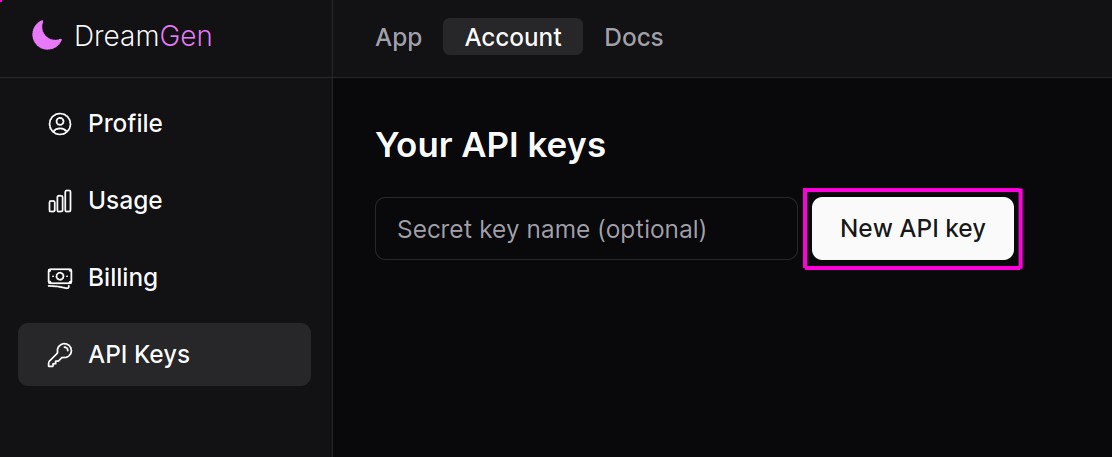
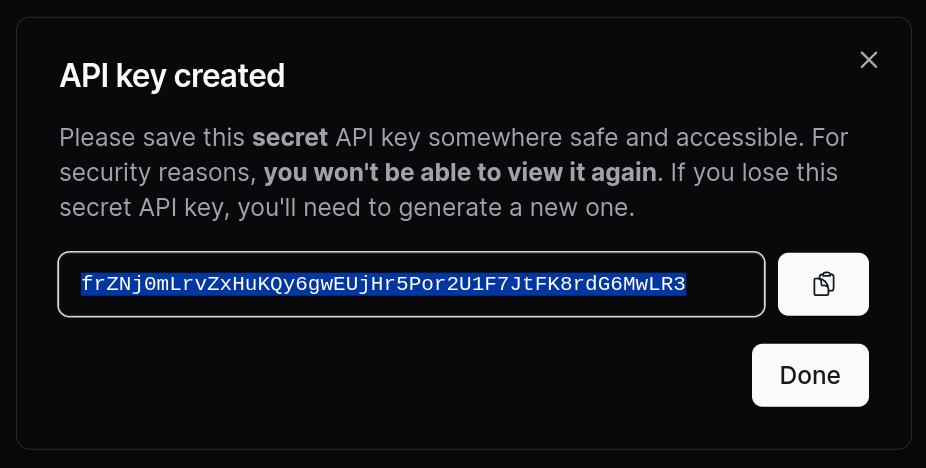
前往 [DreamGen API keys](https://dreamgen.com/account/api-keys) 页面并点击 "New API Key" 按钮。确保将 API Key 复制到剪贴板。
### 连接
1. 前往 SillyTavern 连接设置。
2. 选择 API: Text Completion
3. 选择 API Type: DreamGen
4. 输入 API key
5. (可选)选择一个模型

## 模型
DreamGen API 提供多个不同大小的模型。
- Lucid Max (在 API 中称为 `lucid-v1-max` 或 `lucid-v1-extra-large`)
- Lucid Base (在 API 中称为 `lucid-v1-base` 或 `lucid-v1-medium`) -- 对应于权重可用的 [Lucid V1 Nemo](https://dreamgen.com/docs/models/lucid-v1/huggingface)。
Lucid Base 使用更少的信用额度且速度更快,而 Lucid Max 更具创造力,能够处理更复杂的指令和叙事。
## 设置
Lucid V1 DreamGen 模型使用针对角色扮演和写作优化的 Llama 3 chat template 扩展。它们在特定的 system prompt 下效果最佳。
我们强烈建议从以下 master presets 之一开始:
- 确保启用 instruct mode 并在导入时选择所有复选框。
- [DreamGen Lucid V1 Role-Play preset](https://dreamgen.com/docs/models/lucid-v1/sillytavern/master-preset/role-play)
- [DreamGen Lucid V1 Story preset](https://dreamgen.com/docs/models/lucid-v1/sillytavern/master-preset/story)
这些 presets 内置了对 `/sys` 的支持,用于向模型发送指令。您可以使用它们来引导情节或控制角色的行动。

其他资源:
- [**详细的 DreamGen + SillyTavern 指南**](https://dreamgen.com/docs/models/lucid-v1/sillytavern)
- [详细的 Lucid V1 prompt format 文档](https://dreamgen.com/docs/models/lucid-v1)。
- [DreamGen + SillyTavern role-play 演示](https://imgur.com/a/dreamgen-lucid-sillytavern-roleplay-demo-bhzQpto)
- [DreamGen + SillyTavern story-writing 演示](https://imgur.com/a/dreamgen-lucid-sillytavern-writing-demo-JLv5iO3)
- [制作自己场景的技巧](https://v2.dreamgen.com/docs/scenario-editor)
## FAQ
### 如何使响应更长或更短?
您可以在 formatting presets 中设置 `Last Assistant Prefix`。
对于长消息:
```txt
<|start_header_id|>user<|end_header_id|>
The next message is from and is at least 100 words long<|eot_id|><|start_header_id|>writer character <|end_header_id|>
```
对于短消息:
```txt
<|start_header_id|>user<|end_header_id|>
The next message is from and is at most 50 words long<|eot_id|><|start_header_id|>writer character <|end_header_id|>
```
确保保留所有换行符,包括末尾的两个换行符。

您还可以在您的 card 或 system prompt 中包含写作风格描述,例如:
```txt
## Style
```
请参阅 ["Style" 文档](https://v2.dreamgen.com/docs/scenario-editor#style)了解更多信息并查看一些示例。
### 如何引导角色扮演/故事?
使用 `/sys` 选项向模型发送指令。一些示例:
> The inkeeper offers Daria and the others a pint of ale.
> The next message is from Draco and should be at least 200 words, focusing on his inner conflict about the decision.
[查看实际效果。](https://imgur.com/a/dreamgen-lucid-sillytavern-roleplay-demo-bhzQpto)